AI Supported

Real Time Composite Design

Start with material data. Build the ply and laminate, then see how processing and loading change the response. Keep the inputs and assumptions connected as you work.

Three guided Workbench examples · Free registered account · 30-day demo

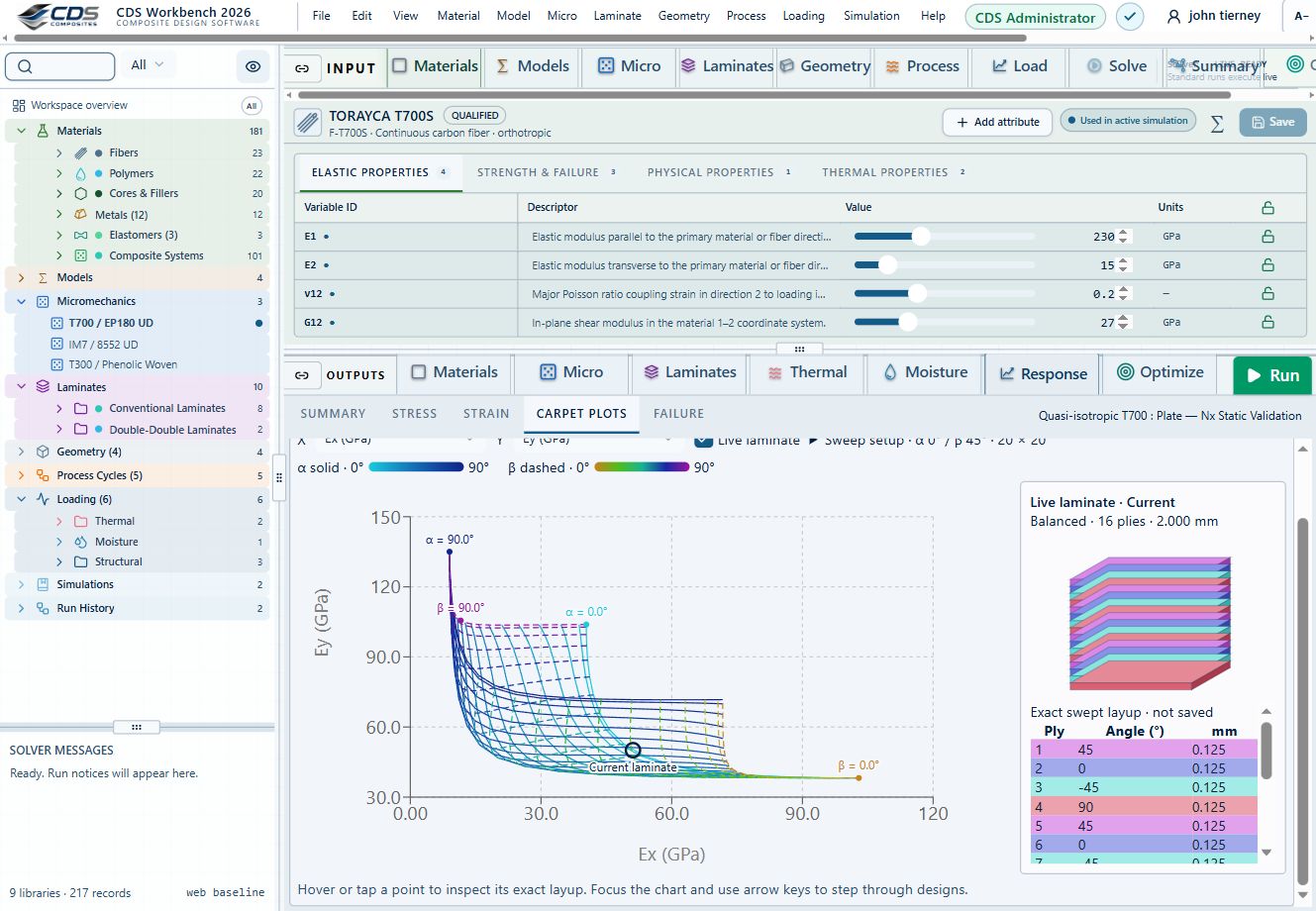
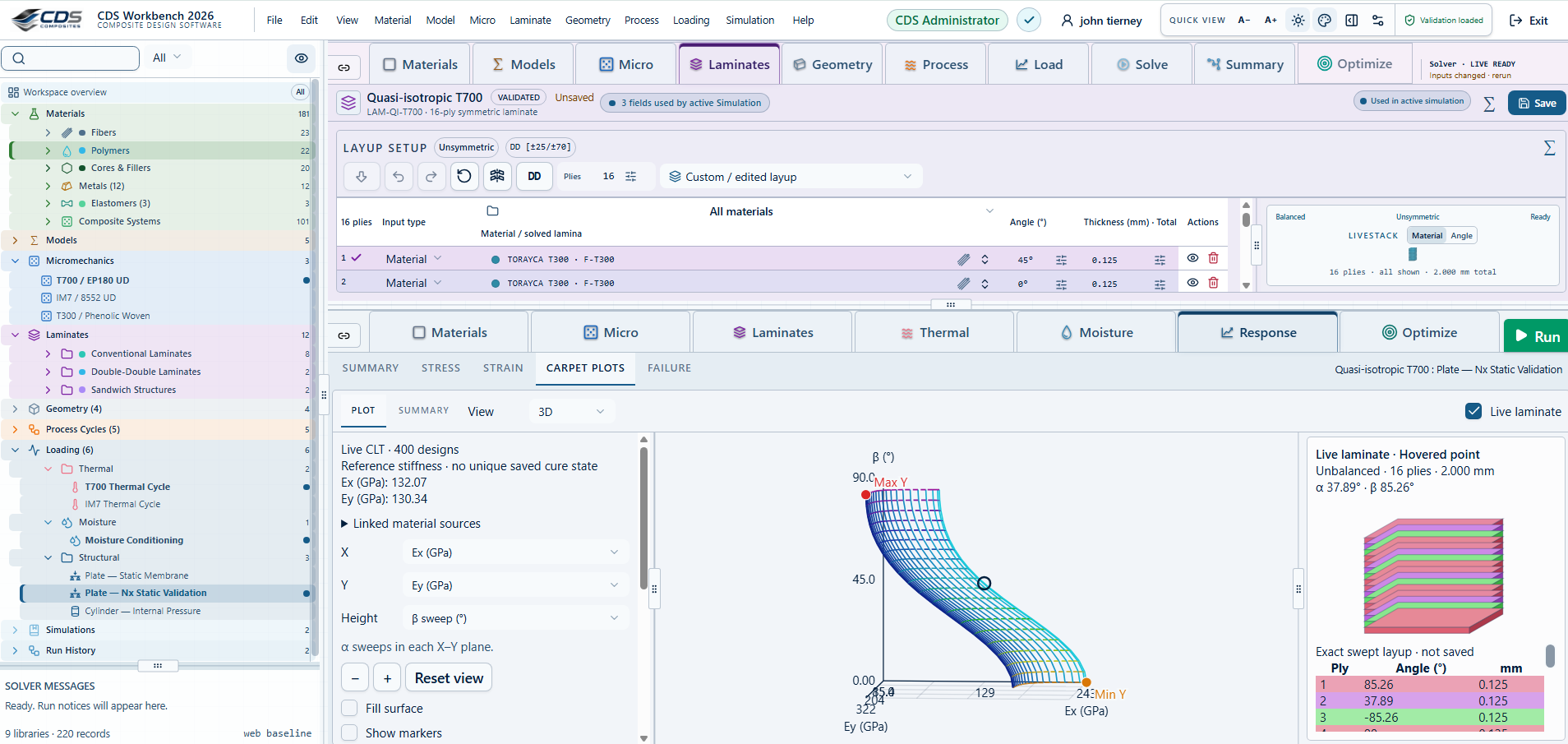
CDS Workbench laminate optimization view with the project navigator, layup editor, carpet plot, and live laminate

TEACH COMPOSITES WITH CDS

Teach through the engineering work.

Give the class a study to work through, compare their submissions and return changes they can try. Set the Workbench mode for the class, grade with rubrics and run anonymous design competitions.

Explore the Education Portal →
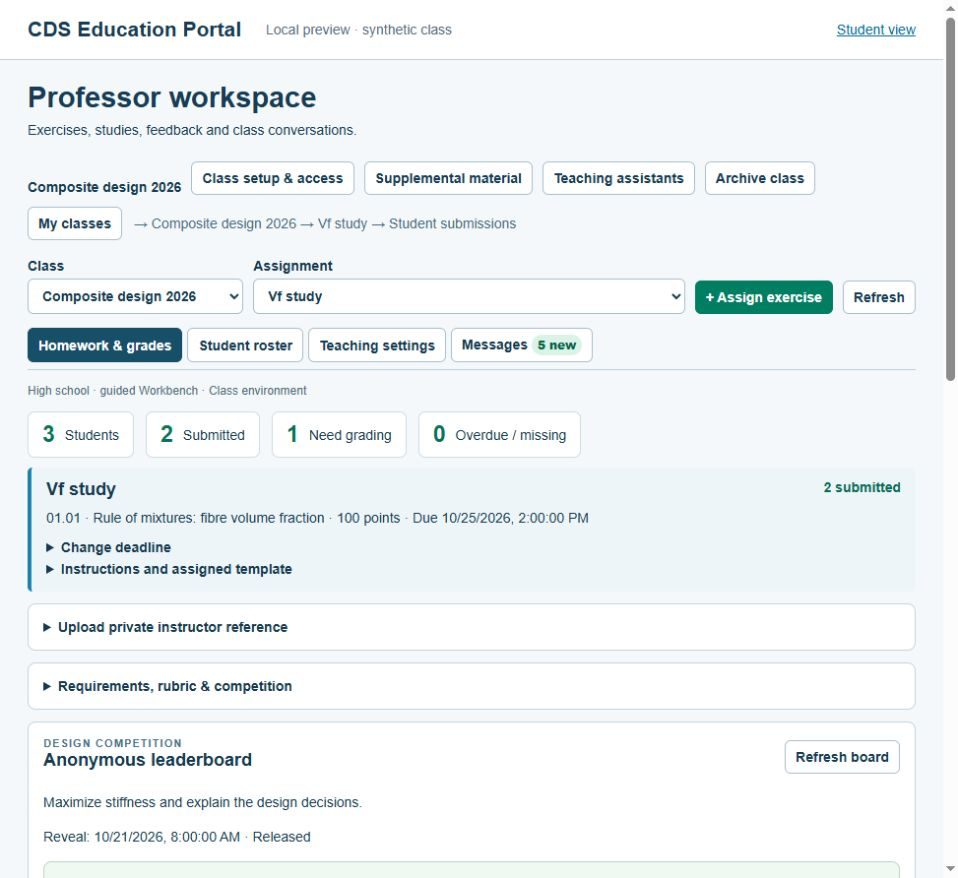
CDS educator workspace with class, assignment and submission status; synthetic demonstration class

The workflow

Follow the material from Micro to Macro.

Carry the inputs, assumptions and methods into the next analysis, then see how they affect the result.

01 / Materials

Start with the material data you have.

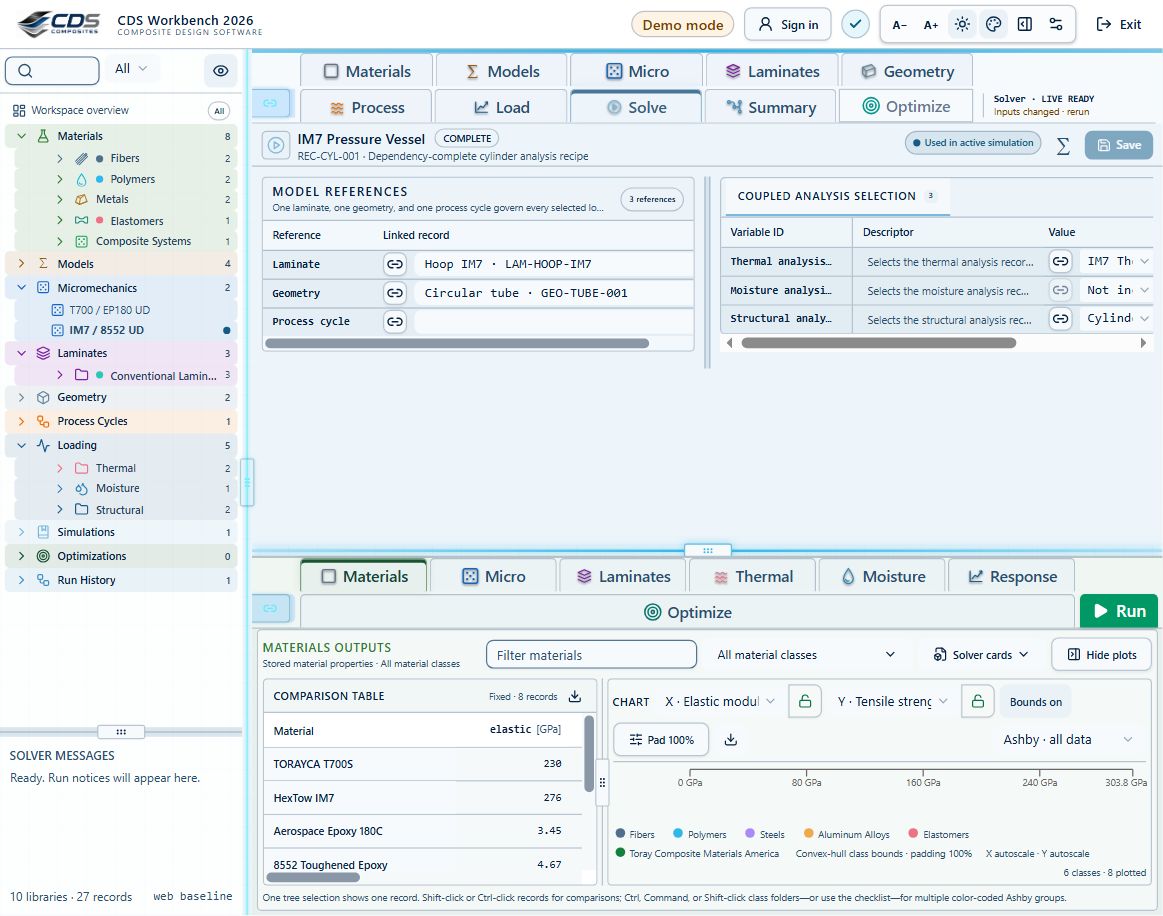
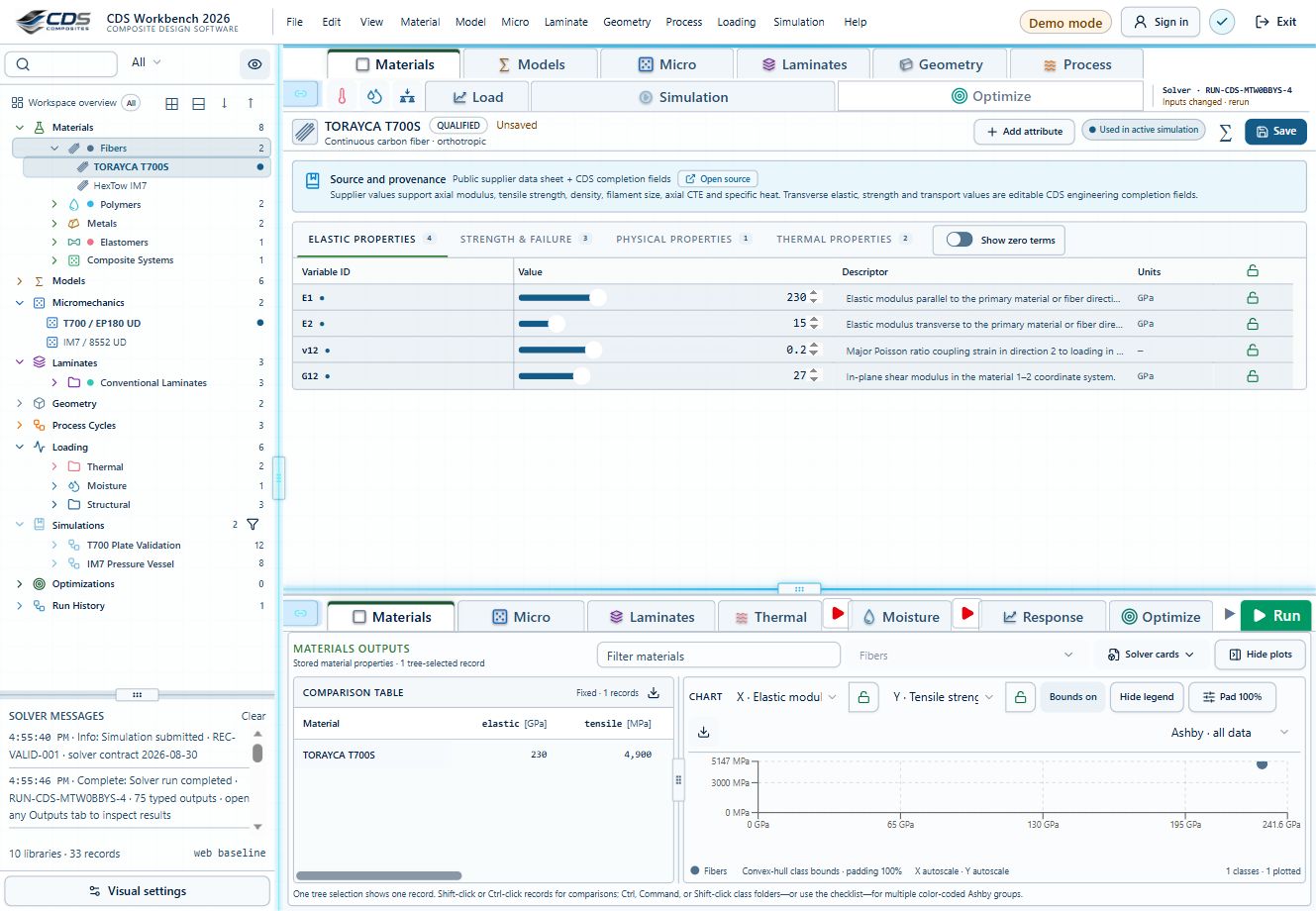
Build reusable fiber, matrix, filler, adhesive, core, vendor and composite-system records. Compare their properties with the units, sources and editable assumptions beside them.

01Source-aware records02Zero-term completion03Table and Ashby comparison
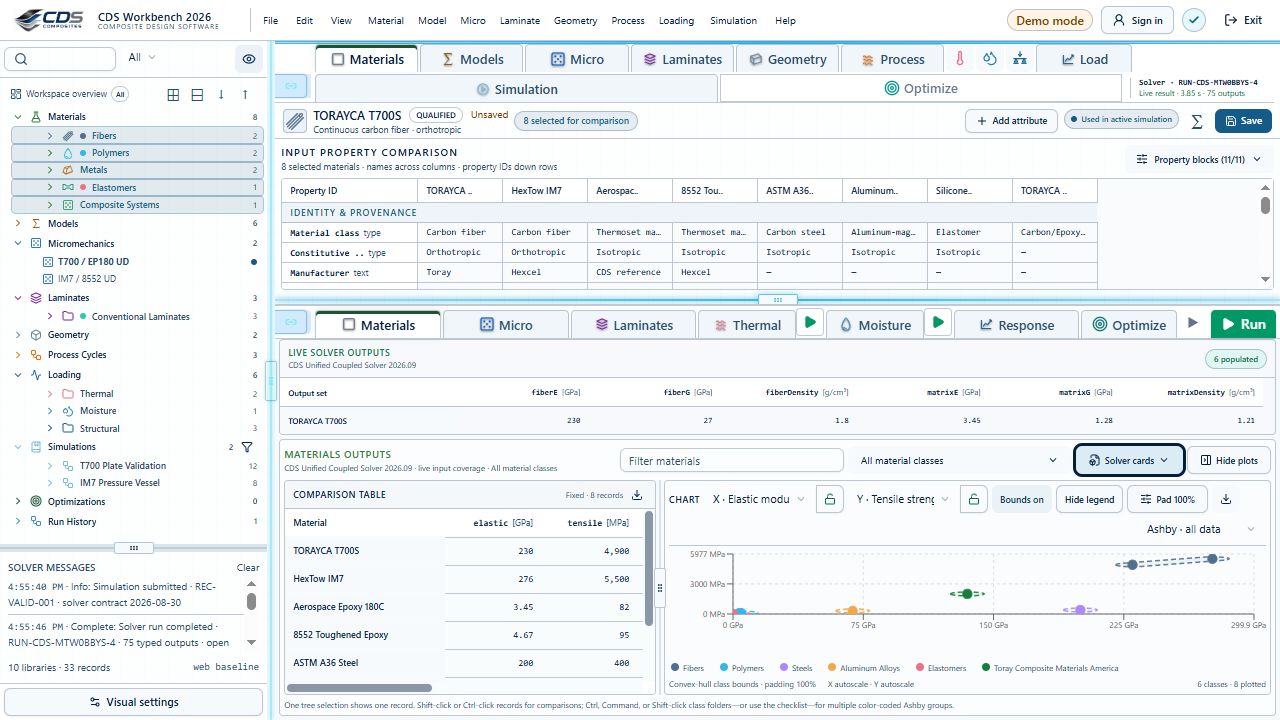
Current CDS Engineering Workbench materials library with a filled comparison table and Ashby chart

CDS / Model hierarchy

Start with the material.
Follow it through the design.

Choose a stage below to follow the material through micromechanics, laminate construction, processing and structural response. Keep the records connected as the study grows.

Select a block to explore its inputs, results and theory. Run the engineering solvers in Workbench.

Materials Workbench view
Full-size Workbench view ↗

Materials

Traceable constituent properties

Start with source-aware elastic, strength, density and transport data. Teaching records help you explore; qualified design requires appropriate allowables.

InputFiber, matrix and coreResultTraceable constituent properties

Fatigue is optional and separate from progressive failure. An S–N life prediction is not a stiffness or strength reduction. Finite-plate CLT/FSDT and thick-wall cylinder studies have their own limits; they do not automatically include every process or failure model.

CREATE / Design recommendations

What would you like to make?

Choose a simple part. Start from a connected CDS exercise, then change one thing and see what happens.

1. Choose a part and load
2. Include a process study?

Start with an already-cured laminate and its mechanical response.

Teaching recommendations, not an optimized or validated part. Review material data, loads and model limits in Workbench before running.

Recommended starting point · 25 min

02.08 · Laminate orientation and tensile response

Start with a flat coupon so you can see how fiber direction changes the response to a tensile force.
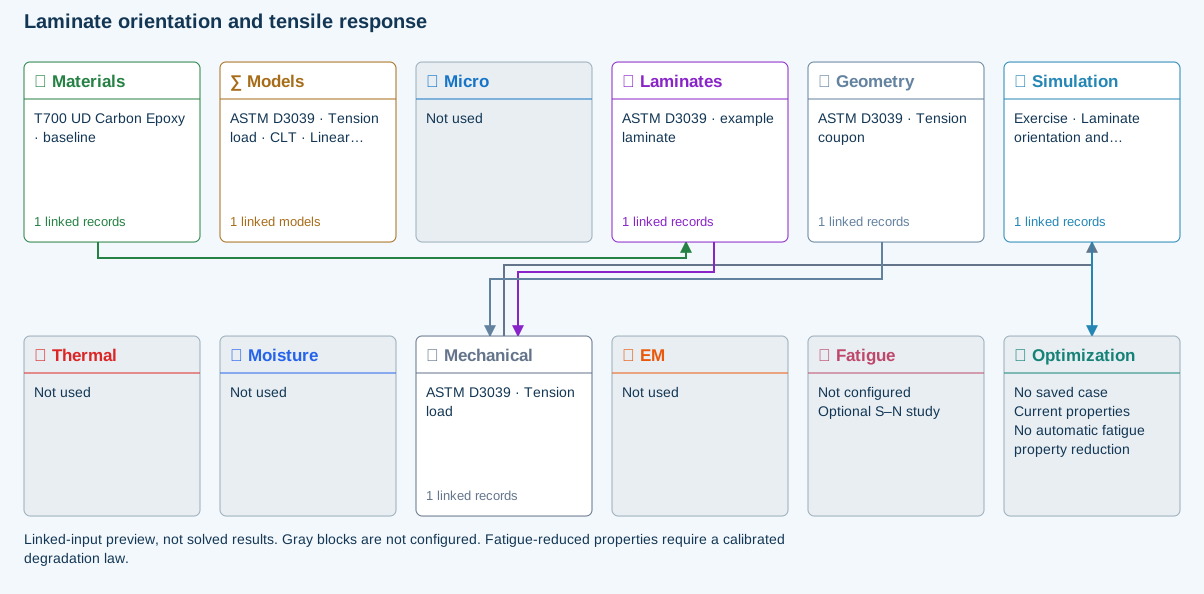
02.08 · Laminate orientation and tensile response connected two-row simulation workflow
Connected input preview · two-row workflow. Gray blocks are not configured; this is not a solved result.

Your first design experiment

Compare symmetric cross-ply and balanced ±45° layups at the same thickness. Then add layers and compare the stiffness and mass.

Models, checkpoints and limits

Models: Classical laminate theory · Linear static · ASTM D3039-17(2025)-based

  • Geometry supplies the finite coupon width; the load is a total force.
  • A symmetric layup should have negligible extension–bending coupling.
  • Uniform resultants give uniform in-plane stress/strain at fixed depth. Shape magnification changes only the drawing; this elastic interior field does not resolve grips, notches or damage.

ASTM-based teaching geometry, not certification. Grips, tabs, alignment and physical test validity are not simulated.

Read the model background →

Links open the shared exercise in Workbench. These website choices recommend a study; they do not modify or save a database. Editing and running remain subject to your Workbench access.
↑ Back to Create · Discover · Simulate

Work with connected data

Keep the inputs with the result.

Connected engineering data

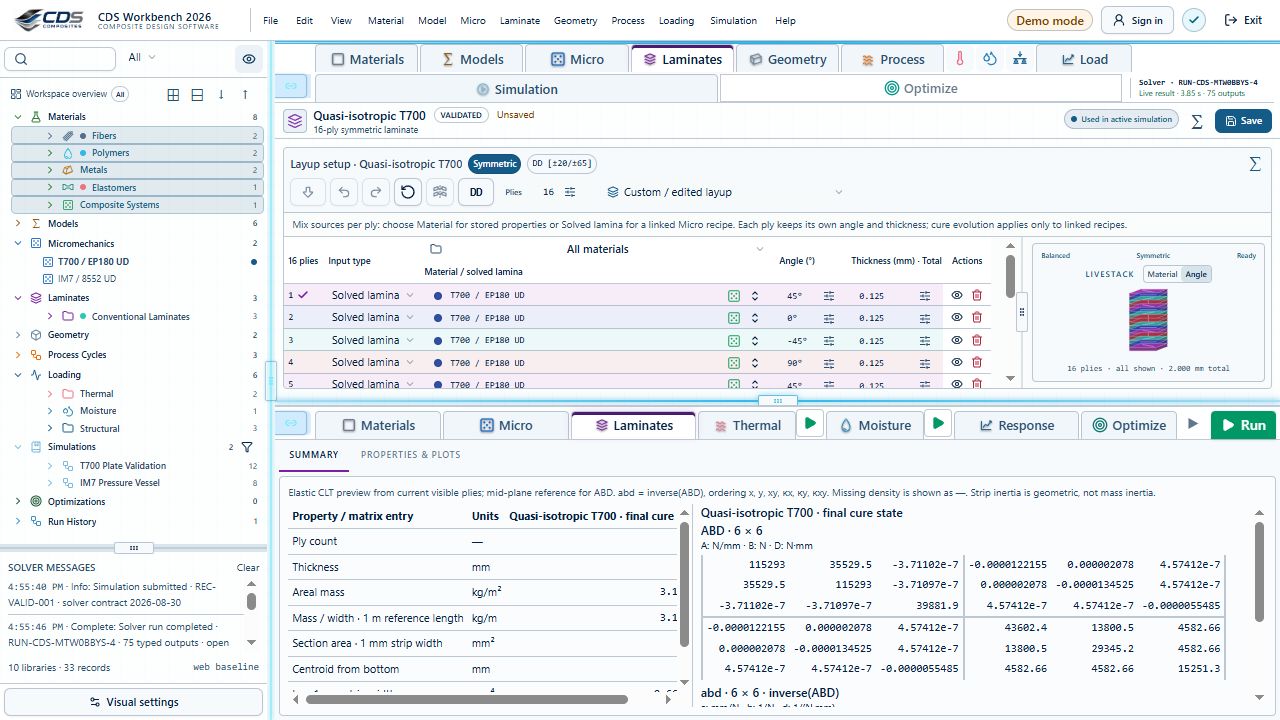
Build the study in one tree. Move or duplicate records in bulk, choose the entities you need, and keep the tabs, local settings, loading and saving close to the work.

Workbench simulation setup linking laminate, geometry and process records with thermal, moisture and structural analysis selectionsConnected ply editor and colored laminate stack
InputEngineering inputs
ModelConnected model tree
OutputTraceable decisions
Data Management

Material property management

Keep the source beside each material property. Build records for constituent, transport, strength, thermoset cure and thermoplastic crystallization data, with editable completion values where needed.

Light-mode material comparison with eight records and colored Ashby groupsMaterial comparison table and Ashby chart
InputFiber and matrix data
ModelProperty management
OutputReusable material record
Mechanical + thermal

Micromechanics prediction

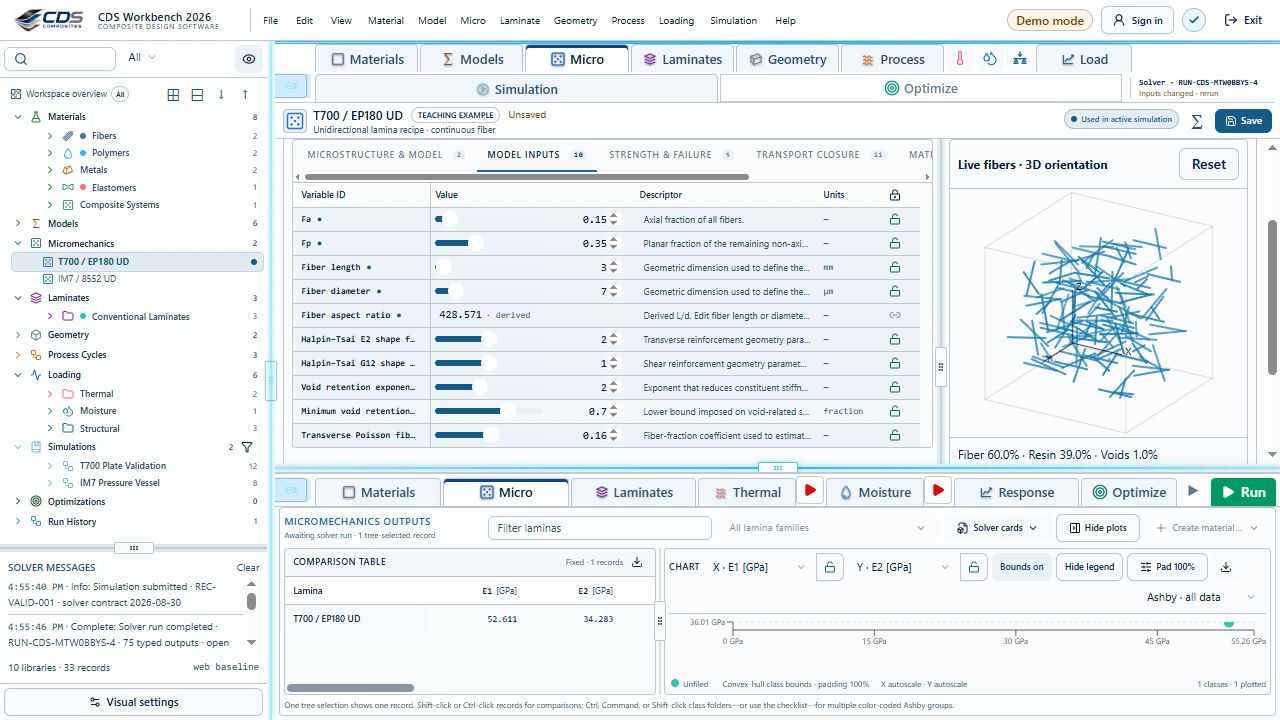
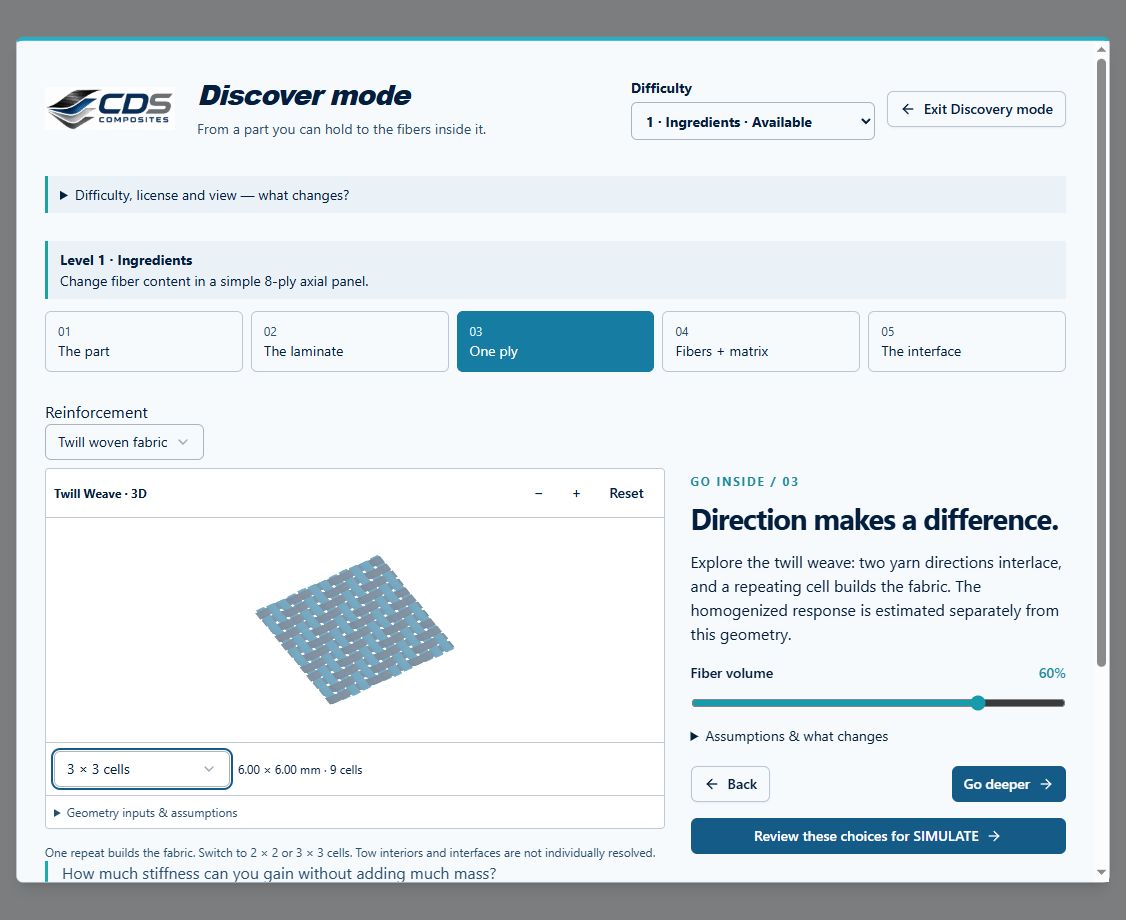
Calculate the ply’s 3D elastic, strength, expansion, density and transport properties. Then vary the microstructure and model inputs to see which choices change those properties.

Actual short-fiber GUI with orientation inputs and a spatially distributed fiber previewDISCOVER woven fabric GUI with repeating unit cells; illustrative geometry
InputConstituents and architecture
ModelMicromechanics prediction
OutputReusable ply properties
Constituent to ply

Laminate mechanics & failure

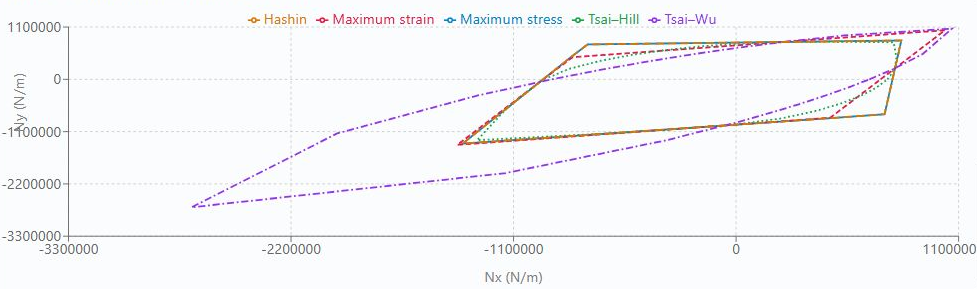
Choose the property source for each ply. Compare ABD response, process residual stress and environmental loading using carpet maps, envelopes, laminate optimization and progressive failure.

Light-mode laminate ply editor, angle-colored live stack and ABD propertiesFive-criterion laminate failure envelope
InputPly models, loads, and environment
ModelCoupled progressive failure
OutputFields, properties, and events
Real Time Design

Process & environmental response

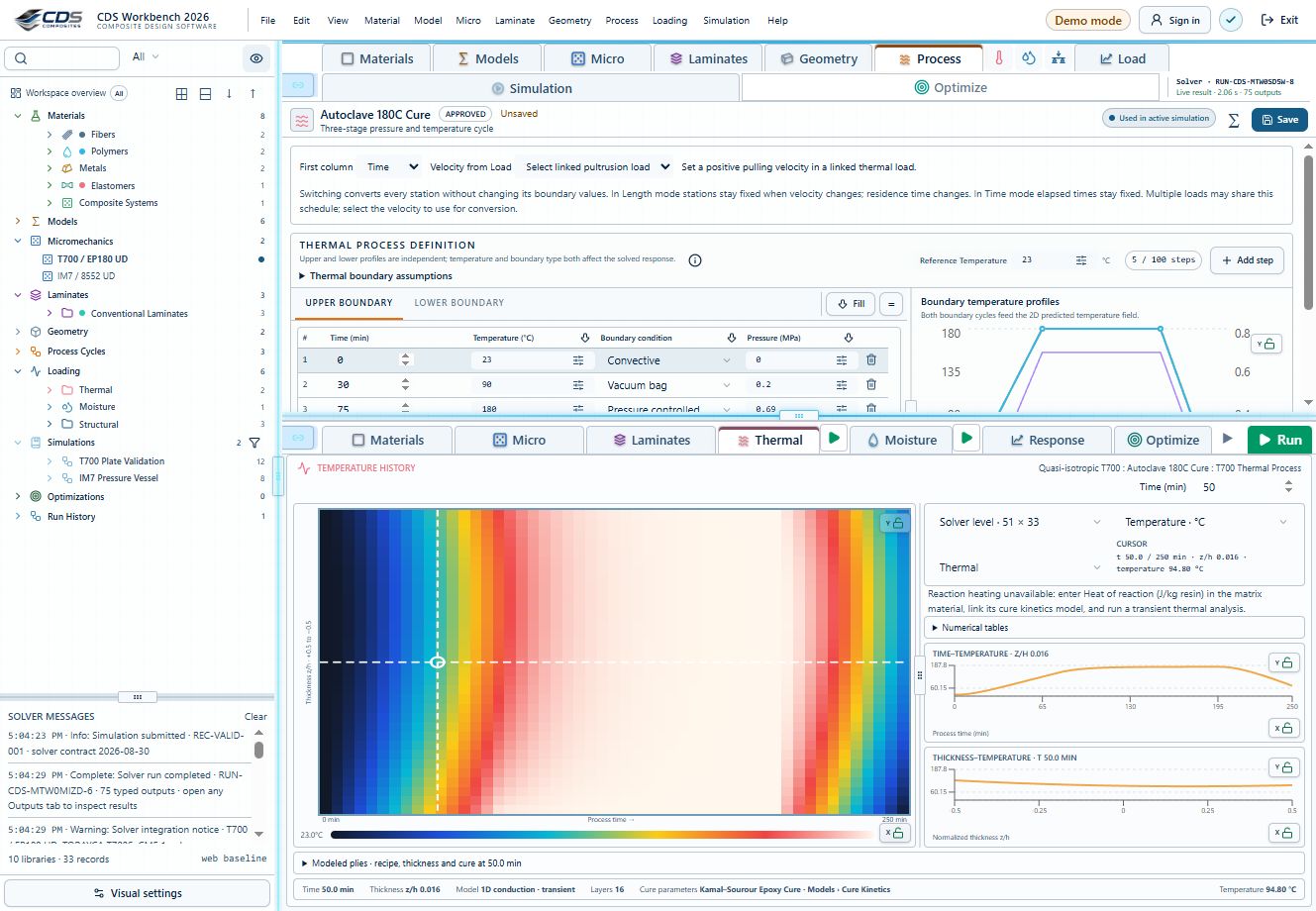
Set each surface condition and follow the steady-state or transient heat and moisture response. Examine cure exotherm, changing modulus and shrinkage, then compare process-cycle choices.

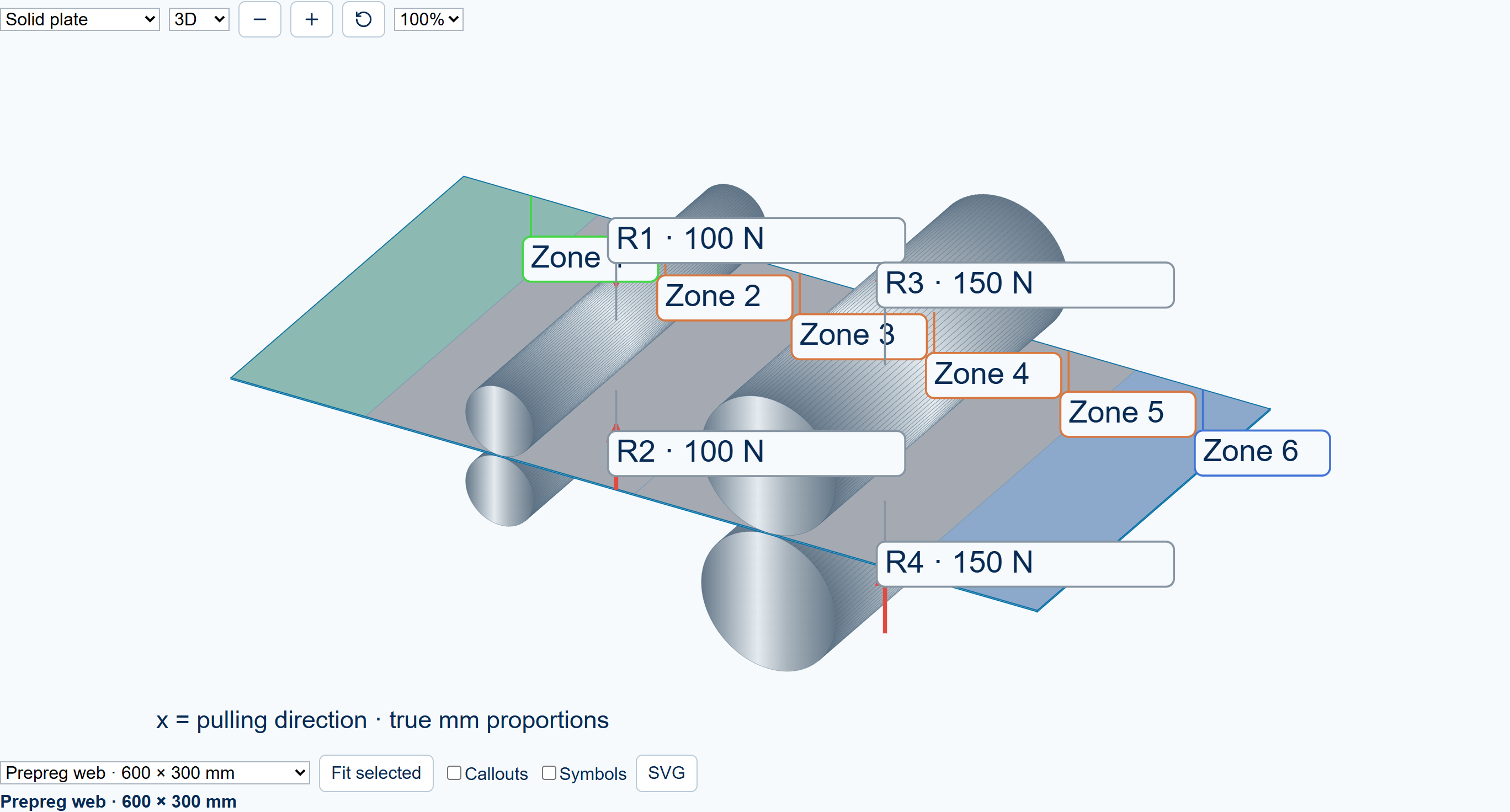
Prepregging Live Process GUI with six heating zones and four rollersSolved through-thickness temperature field
InputThermal and moisture history
ModelHeat and diffusion response
OutputThrough-thickness fields
Environmental effects

Structural performance

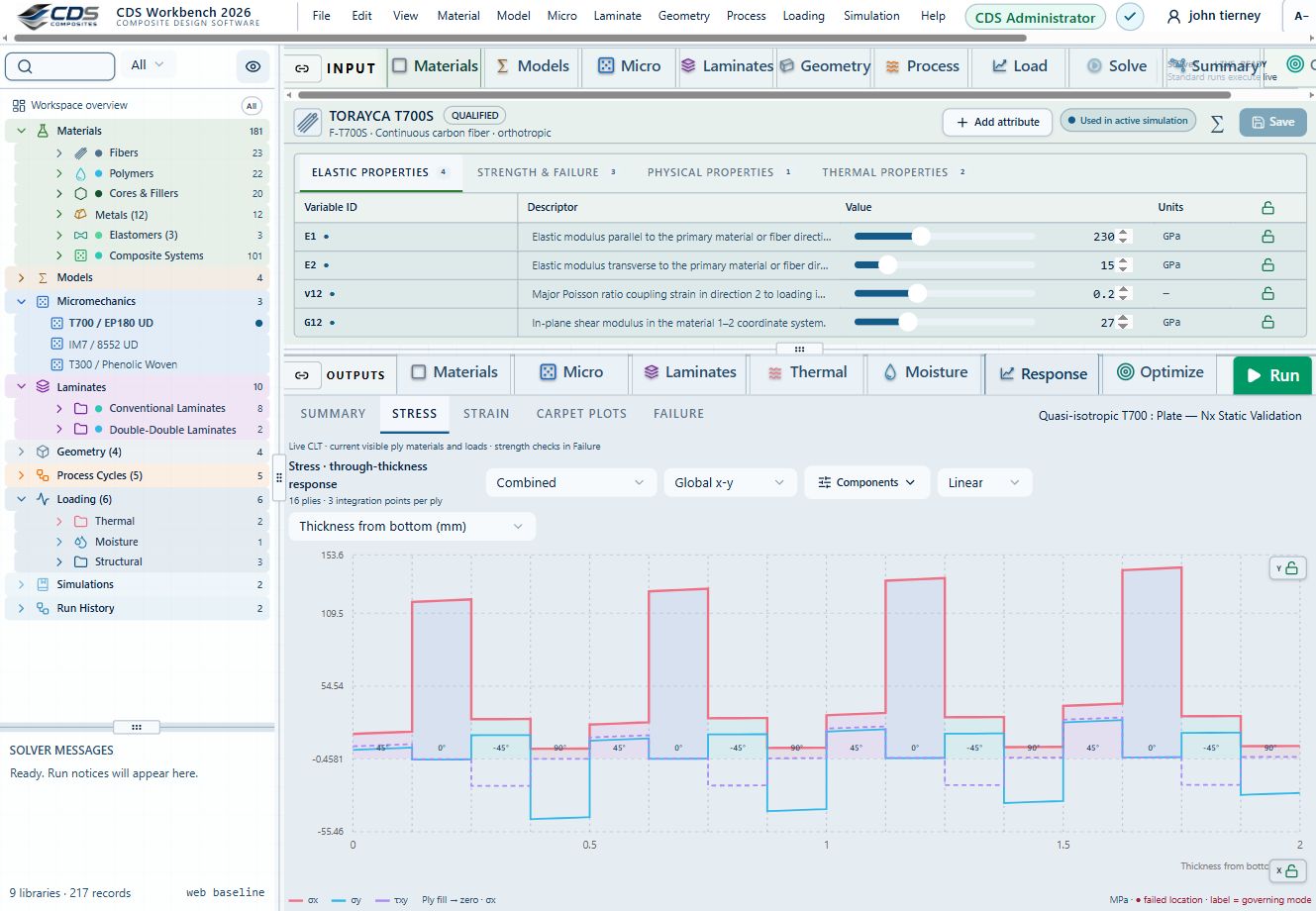
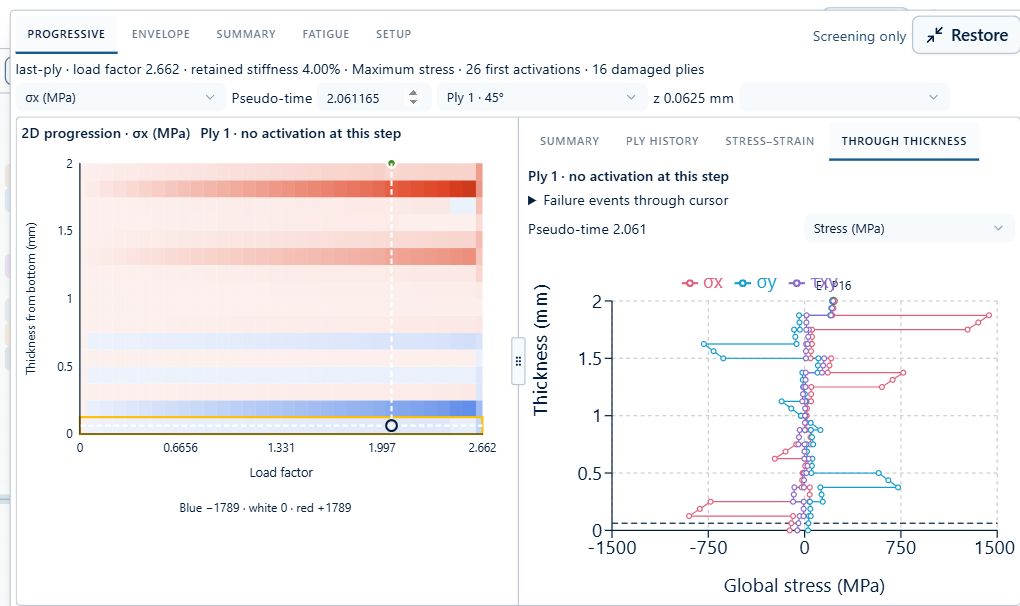
Apply loads and supports to a plate, cylinder, beam or joint. In the Virtual Test Lab, inspect the mounted specimen and compare its setup with the calculated response plots.

Workbench Response stress view with global component curves across the laminate thicknessReal combined membrane and bending progressive failure with through-thickness stresses
InputGeometry, loading, and supports
ModelStructural mechanics
OutputStress and deformation
Factors of safety

Engineering results & automation

Save an optimization snapshot before changing the study. Compare results, automate repeat studies and export the tables and model-validation data in common engineering formats.

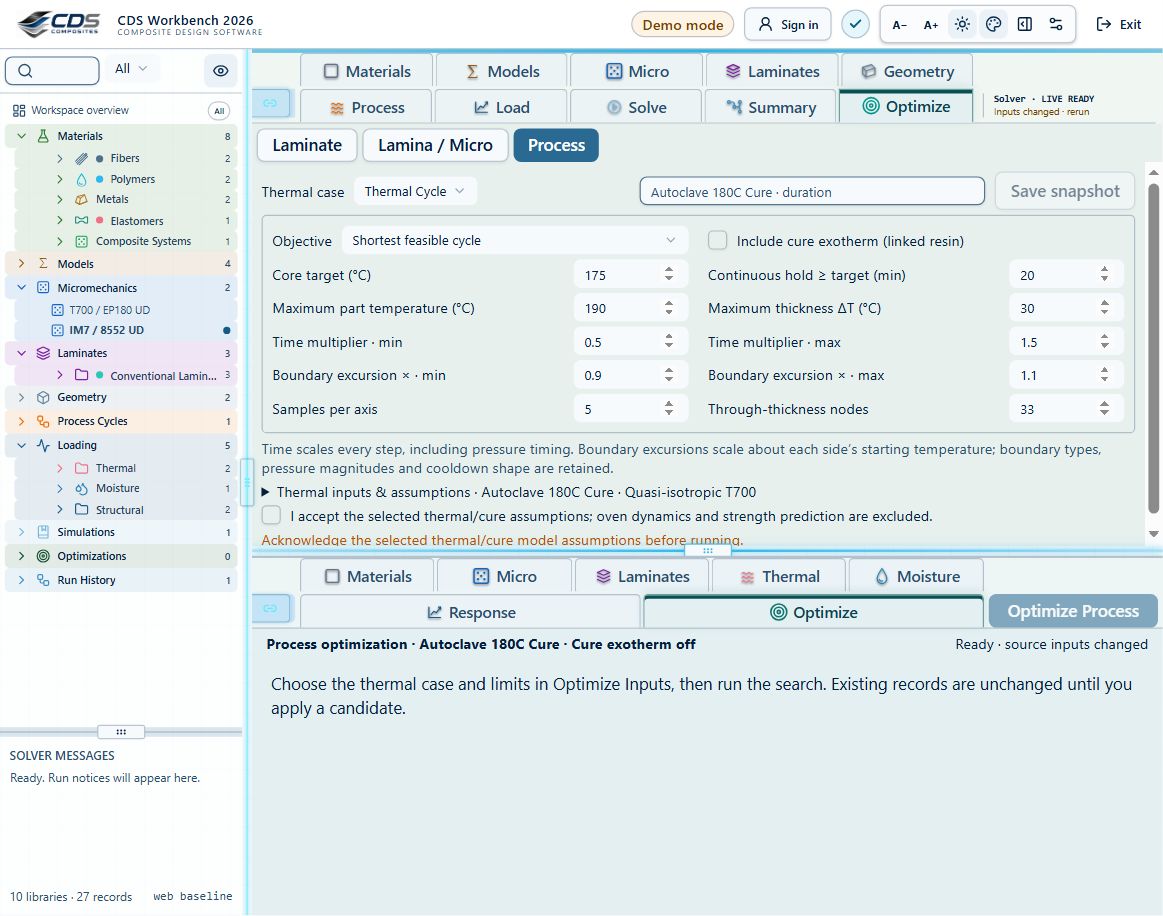
Laminate Ex–Ey carpet plot with an interactive design point and corresponding live laminate stackSaved process optimization comparison
InputDesign study cases
ModelAutomate and compare
OutputReports and model exports
Repeatable validation data

Integrated composite workflow

Follow the material through micromechanics, laminate construction, processing and structural analysis. Keep the inputs connected so you can examine what each design change does downstream.

Workbench simulation setup linking laminate, geometry and process records with thermal, moisture and structural analysis selectionsConnected ply editor and colored laminate stack
InputMaterial and design requirements
ModelConnected CDS workflow
OutputDefensible design validation data
End-to-end engineering

User Manual

Check where the result comes from.

Follow a plotted field or exported value back to its material data and model assumptions. The User Guide takes you through the setup so you can check the study as you build it.

01Define

Materials, geometry, loads, environment

→
02Resolve

Mechanics, coupling, failure, uncertainty

→
03Decide

Trade studies, margins, reports, exports

Help center

Work through an example, or look closer.

Use the guides to set up a study, understand a result or resolve a setup problem. If your composite problem needs a closer look, bring it to the CDS team.

01

CDS User Guide

Start with the materials, choose a mechanics model, apply the loads and check the outputs in order.

Open the User Guide
02

CDS Theory Manual

Check the equations, required inputs and limits of each micromechanics, laminate and bonded-repair method before using its result.

∑ Open the Theory Manual
03

CDS Training Manual

Open a shared Workbench exercise, follow the setup and change one thing. Use the tasks, checkpoints, limits and references to examine the result.

Open all exercises
04Composite theory reference

Technical library

Micromechanics of Composites

Browse the complete web edition covering elastic micromechanics, textile and thermophysical behavior, damage and failure, with equations, assumptions and physical interpretations.

Elastic micromechanicsTextile & thermophysicalDamage & failure
CDS Engineering Workbench validation and model-input interfaceBrowse Micromechanics
0512-section web reference

Technical library

Laminate Analysis

Review Classical Lamination Theory, the ABD matrix, ply-level stress and strain recovery, failure criteria, directional continuum damage, and fatigue model limitations.

CLT & ABDFailure & CDMFatigue & interpretation
CDS Engineering Workbench laminate results and failure summaryBrowse Laminates

Work with CDS

Tell us what you need to work out.

Request CDS access ↗

Materials · Micromechanics · Laminates · Processing · Design · Custom engineering workflows