
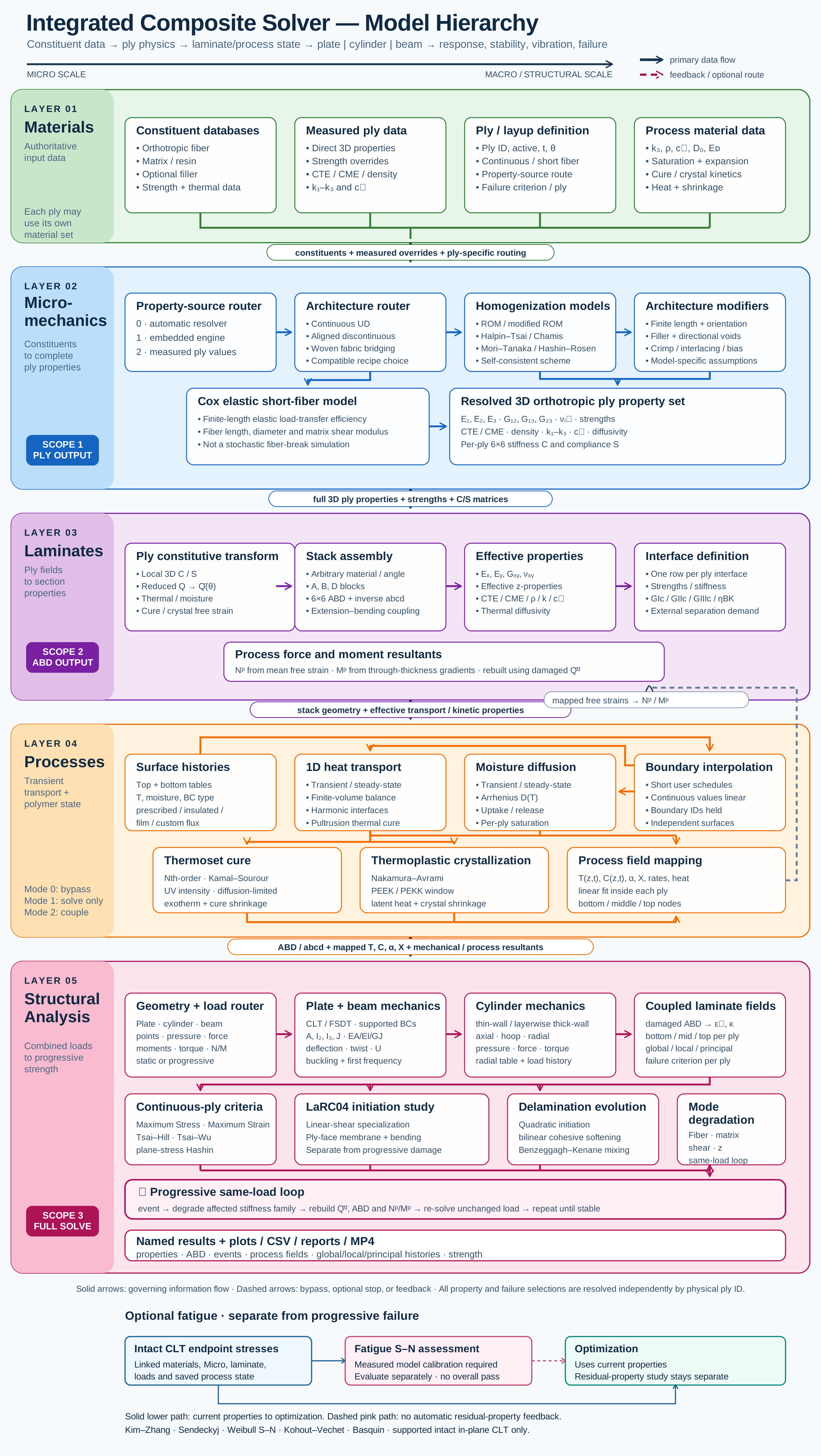
Keep the source with the property
Keep elastic, strength, density and transport data with their units, sources and calibration basis.
Workflow / 03.1 Materials
Build reusable records for constituents, polymer composites, metal matrix composites and ceramic matrix composites. Keep each property’s units, temperature and evidence with the material so you can check what you are putting into the model.
Connected model layer
Select a block to explore its theory or workflow. Enlarge master map ↗ · Explore all stages
The reusable library includes the following source-aware reference records. Open Materials in Workbench to inspect a card and its missing inputs.
Manufacturer typical values retain their grade and conditions. Missing directional CMC elasticity remains blank. Published flexural modulus and interlaminar shear values remain test data rather than replacements for tensile or in-plane allowables. No calibrated metal plasticity or ceramic impact damage model is assigned.
Monolithic ceramic properties do not automatically describe porous matrices or ceramic fibers. Polymer cure, crystallization and the polymer-matrix scopes of D7136, D6264 and D7137 require compatible materials.
Connected study preview, not a live calculation. Edit inputs and inspect results in Workbench.
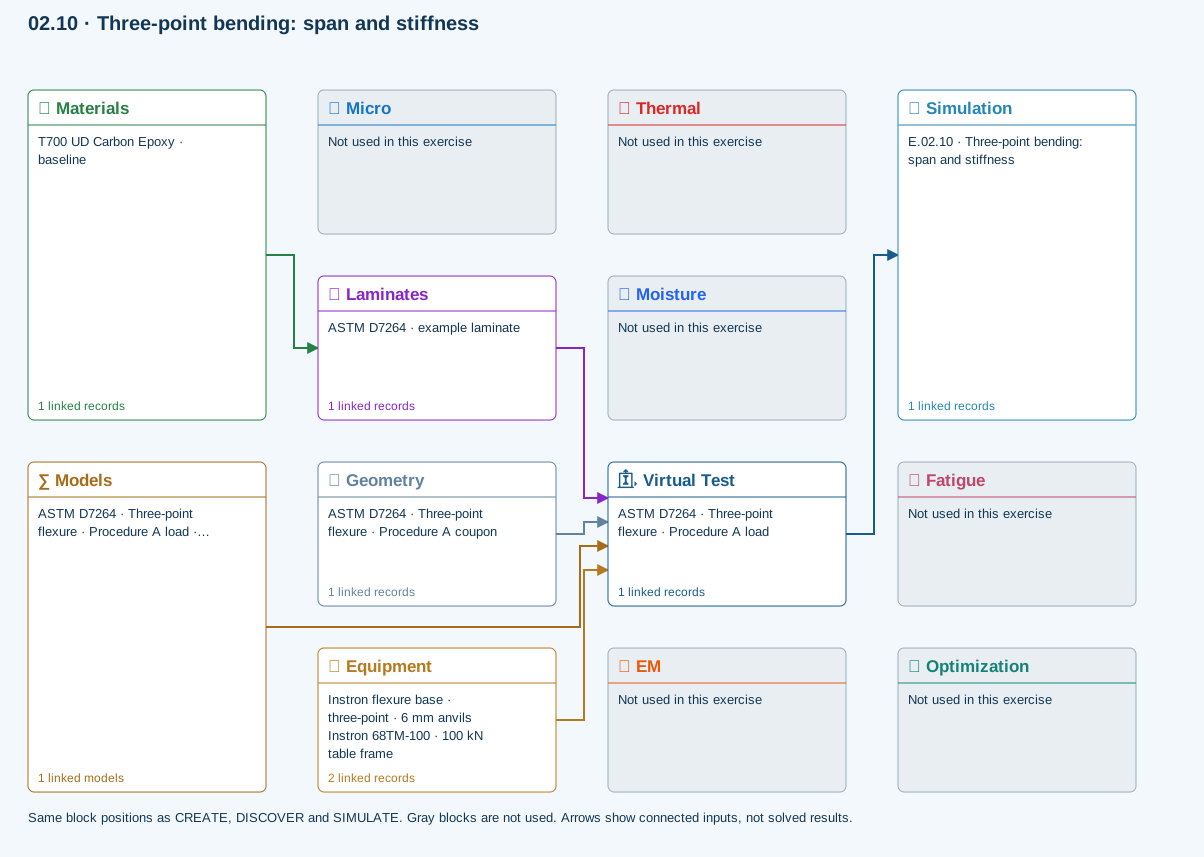
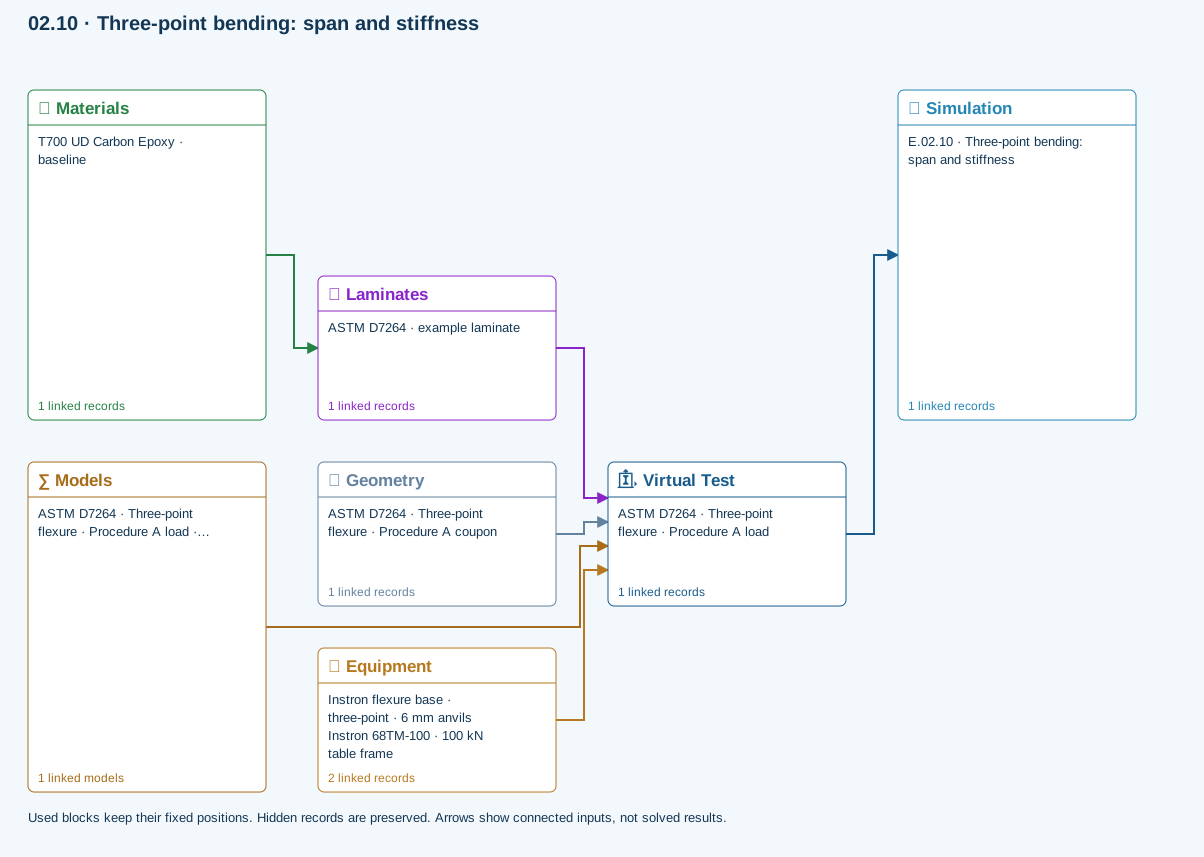
All blocks keep the CREATE / DISCOVER / SIMULATE positions, with Equipment below Geometry; unused records remain disconnected. This changes the view only, not the exercise records. The diagram shows the setup, not solved results.
Only models assigned to records used by this exercise are listed here. The full-layout option preserves the supplied starter records; no Workbench records are changed.
Beam bending uses effective laminate axial stiffness, the linked section geometry, support span and applied loading. Euler–Bernoulli deflection excludes transverse shear deformation, roller contact and indentation. Ply stress recovery for rectangular laminate coupons is separate from section-level beam stress recovery.
∑ Theory & assumptionsMaterials → Laminates
Stored ply stiffness, strength, density and expansion properties.
Virtual Test → Simulation
SIMULATION selects this case and its analysis model; the case owns its applicable cycle and input references.
Laminates → Virtual Test
Ply angles and thicknesses, stiffness, mass and ply properties.
Geometry → Virtual Test
Part shape and dimensions, thickness or section definition, and model-specific geometric inputs. Each selected case consumes only the dimensions its model supports.
Equipment → Virtual Test
Linked testing machine and fixture: load capacities, fixture type, specimen-fit and support-span limits, and mounted setup dimensions. The selected test case supplies the applied loading; hardware limits are checked against its setup.
Models → Virtual Test
Applied model assignment: Euler–Bernoulli beam · Linear static. Model parameters and formulation are used by Virtual Test.
Inspect specimen width, laminate thickness, support span and central force.
Models: Euler–Bernoulli beam · ASTM D7264-26-based
Procedure A teaching setup. Transverse shear deformation, roller contact and indentation are excluded.
03.1 / Workflow focus
What connects to the next stepKeep elastic, strength, density and transport data with their units, sources and calibration basis.
Metal Matrix Composites and Ceramic Matrix Composites each include three example systems. Ceramics contains three constituent examples. Material type controls which property inputs and compatible models are available; a class label does not supply missing properties.
Assign calibrated cure, crystallization, modulus or transport models through the material record. A model sitting in the tree does not contribute until it is linked.
A laminate ply can use a stored material or linked Micro recipe. Check the resolved properties before selecting the structural study.
Materials feed Micro and the linked laminate. Compatible transport studies evaluate the selected material laws; not every structural study includes processing.
Build this workflow in Workbench: select records and connect the interactive Blocks →
Connected model layer
Select a model family to follow its inputs, results, theory and exercise. All model families ↗
Follow the connections
Calibrated kinetics, modulus or transport laws and material assignment
Material laws consumed by compatible Micro or transport calculations
Representative exercise: this map shows its supplied records and active connections, not every possible configuration of the model family.
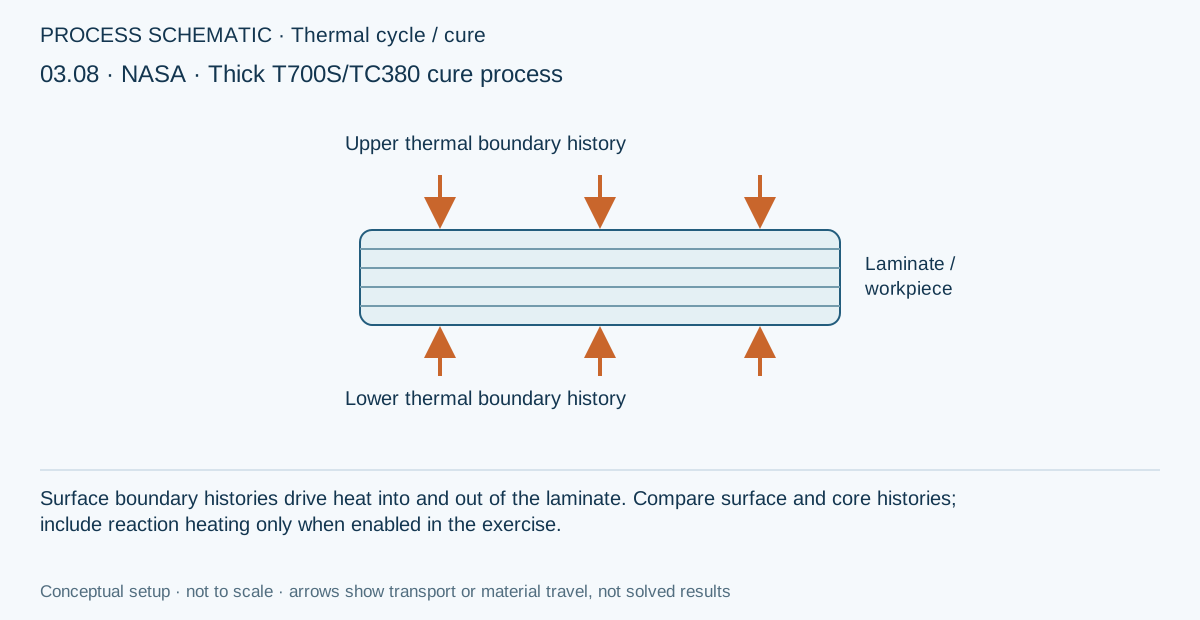
Conceptual setup, not a solved result. Use the existing live process view in Workbench to inspect this exercise’s linked equipment, boundary settings and results.
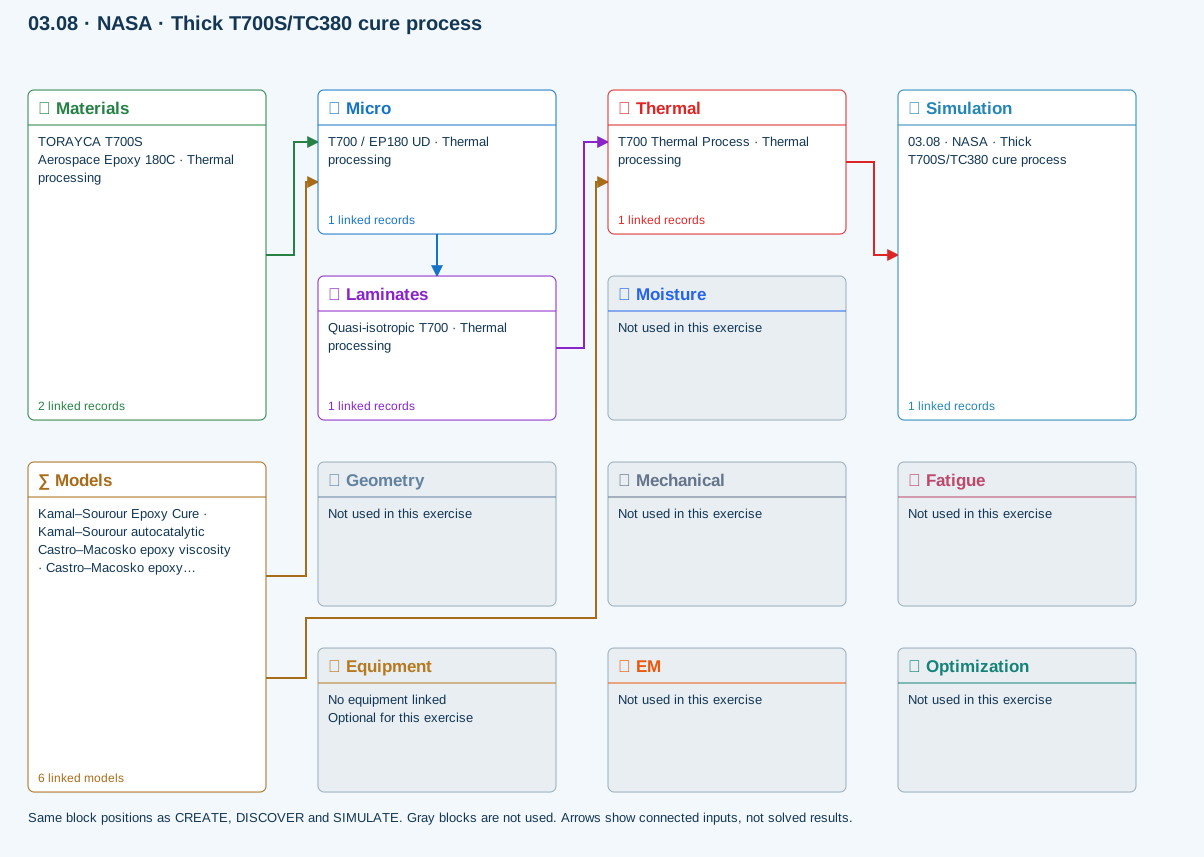
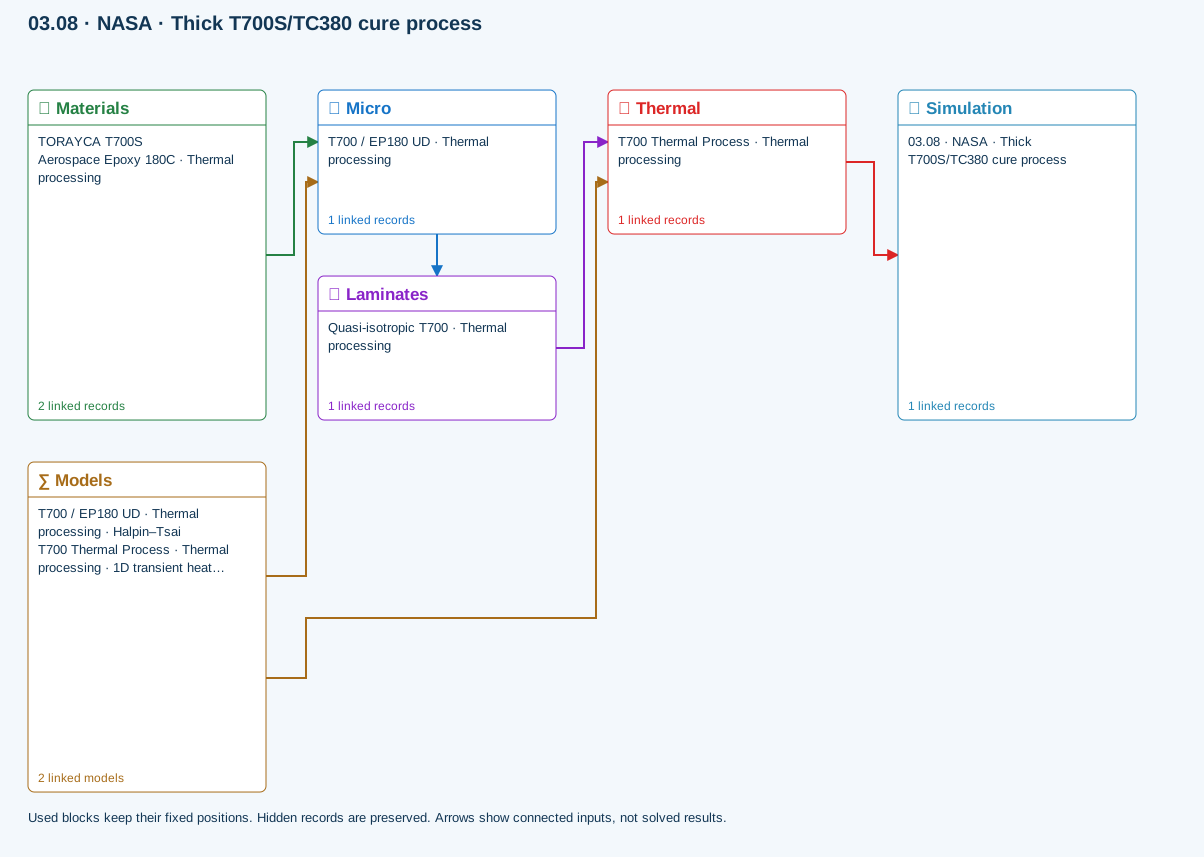
All blocks keep the CREATE / DISCOVER / SIMULATE positions, with Equipment below Geometry; unused records remain disconnected. This changes the view only, not the exercise records. The diagram shows the setup, not solved results.
Independent model records can be linked together through material inputs. A saved model must be assigned to a material before it contributes to a simulation.
Models → material-model folders · assigned through Materials